

EPIK - AI Photo & Video Editor is a mobile photo and video editor for Android that combines AI retouching with manual adjustments, creative filters, portrait tools, templates, and collage layouts. It is designed for quick work with social media images as well as more careful edits, allowing a raw camera shot to be polished without switching between several separate applications.
As an alternative to PicsArt, EPIK - AI Photo & Video Editor offers familiar tools for enhancing photos, applying effects, adding text, and creating collages, while placing stronger emphasis on AI portrait processing and ready-made visual styles. PicsArt has a broader community-oriented ecosystem and a larger creative platform, whereas EPIK keeps its workflow focused on editing an image or short video directly on an Android device.
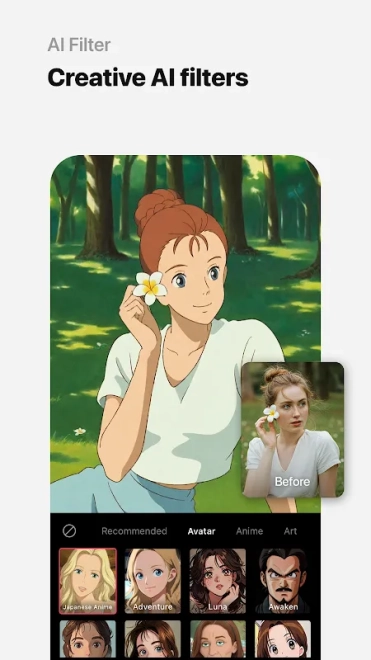
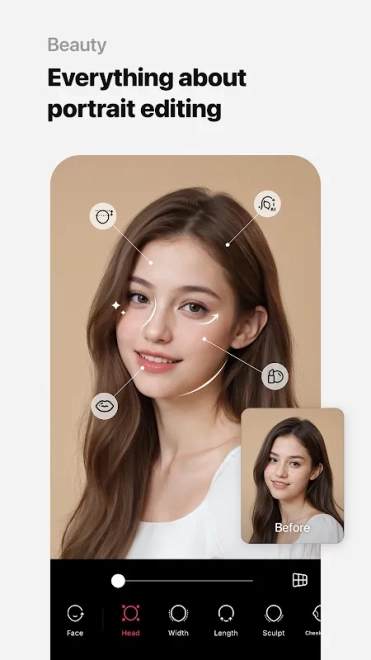
EPIK - AI Photo & Video Editor is particularly useful for portrait work: facial retouching can be combined with makeup-style adjustments, hair effects, and AI-based transformations, while templates help turn a finished image into a poster-like or social-media-ready composition.
EPIK - AI Photo & Video Editor Features
- AI portrait tools can refine facial details and create stylized transformations from ordinary selfies.
- Manual editing controls make it possible to adjust color, brightness, contrast, and other image parameters instead of relying only on automatic filters.
- Retouching tools help smooth skin, correct minor imperfections, and emphasize selected facial features in portrait photographs.
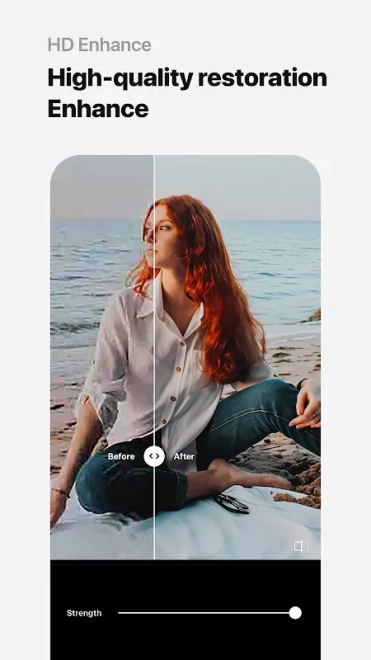
- A collection of filters and visual effects changes the mood of a picture with a single preset, while more precise edits remain available for fine-tuning.
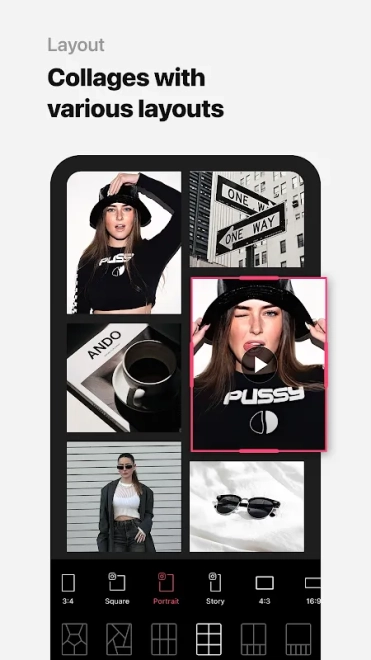
- Collage layouts combine several images in one composition, which is convenient for travel selections, before-and-after comparisons, or themed posts.
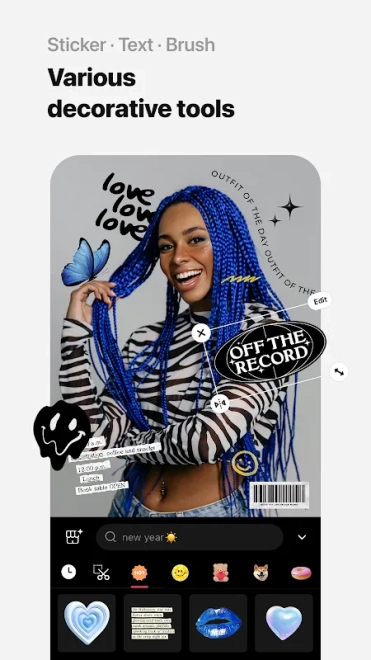
- Templates add a ready-made structure to photos and short videos, reducing the time needed to prepare content for social platforms.
- Video editing functions allow clips to be adjusted with effects, text, and visual elements within the same application used for photographs.
- Creative tools can be used for profile pictures, event collages, stylized portraits, and casual video publications without requiring desktop software.
Advantages of the Photo and Video Editor
- Combines photo editing, portrait retouching, collage creation, and video tools in one Android application.
- AI features speed up routine portrait work when a quick result is more important than detailed manual correction.
- Templates and presets make the application accessible for users who prefer a guided workflow.
- Manual controls remain available for edits that need a more personal look than an automatic effect can provide.
- Suitable for both an individual selfie and a multi-image composition prepared for publication.
Drawbacks
- AI transformations and strong beauty effects can make portraits look artificial when applied too intensively.
- Some advanced tools or creative materials may be restricted by in-app purchases, despite the free distribution of the application.
- A large selection of effects and templates can make the interface feel busy during the first sessions.
- Video editing is convenient for short creative clips, but it is not a replacement for a full desktop editor with a detailed timeline.
- Processing complex AI effects may require additional time and can depend on the capabilities of the Android device.
Judging by its feature set, EPIK - AI Photo & Video Editor is aimed at those who want polished portraits, expressive collages, and short edited clips without assembling a separate toolkit for every task. Its combination of AI effects with familiar manual controls makes it practical for everyday visual content, while EPIK - AI Photo & Video Editor is distributed free of charge.
What's new in the latest version 7.4.30
Updated
- Improved overall performance and stability for a smoother editing experience.
- Enhanced the reliability of photo and video editing tools.
- Fixed minor bugs and resolved issues affecting certain devices.
- Improved compatibility with the latest Android versions.
Add comment