

Funimate Video Editor & Maker is a mobile video editor for Android designed for creating short, music-driven clips with animated effects, transitions, text and stickers. The app combines familiar editing tools with a large collection of visual presets, making it suitable for social media posts, fan edits and quick videos assembled directly on a phone. Its interface is aimed at fast experimentation rather than complex production, so a clip can move from a camera roll to a stylized edit without requiring desktop software.
Compared with CapCut, Funimate Video Editor & Maker places more emphasis on expressive effects and beat-oriented short videos, while CapCut is better known for a broader timeline workflow and template-based editing. Both applications support trimming clips, adding music, text and visual effects, but Funimate feels more focused on turning a small amount of footage into a flashy social media edit rather than building a long, multilayer project.
Funimate Video Editor & Maker is especially useful when the visual style matters as much as the original footage: animated overlays, transitions and music can give an ordinary phone recording the character of a prepared social media clip.
Funimate Video Editor & Maker Features
- Trims and combines video fragments so several phone recordings can be assembled into one short clip.
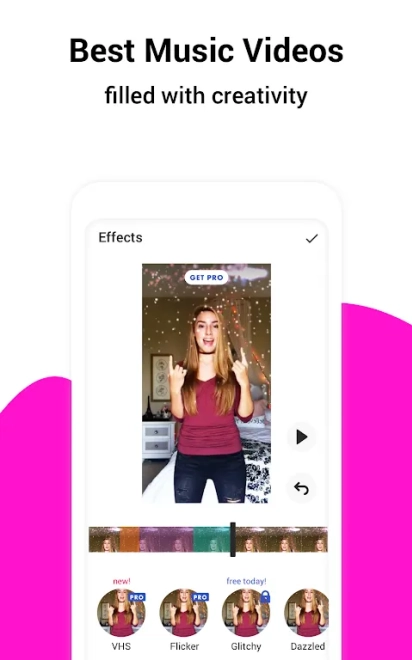
- Provides music-based editing tools for videos built around a song or a selected audio track.
- Includes visual effects and transitions that can change the mood of a scene or connect separate fragments with a more dynamic rhythm.
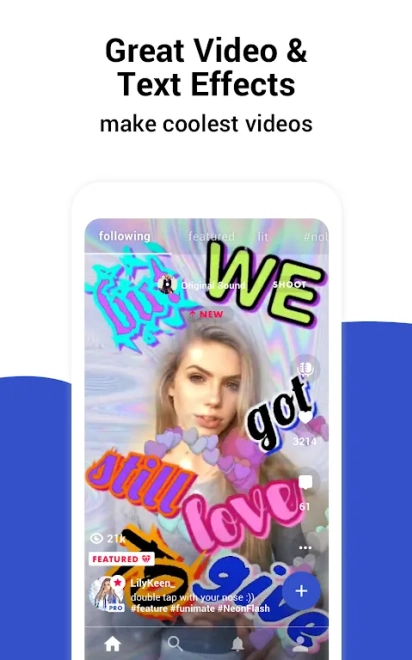
- Allows captions and other text elements to be placed over the image, which is useful for titles, short explanations or lyric-style edits.
- Supports stickers and decorative overlays for videos intended for social platforms.
- Offers creative presets for stylized edits, reducing the need to configure every effect manually.
- Works with content recorded on an Android device, allowing quick editing without transferring material to a computer.
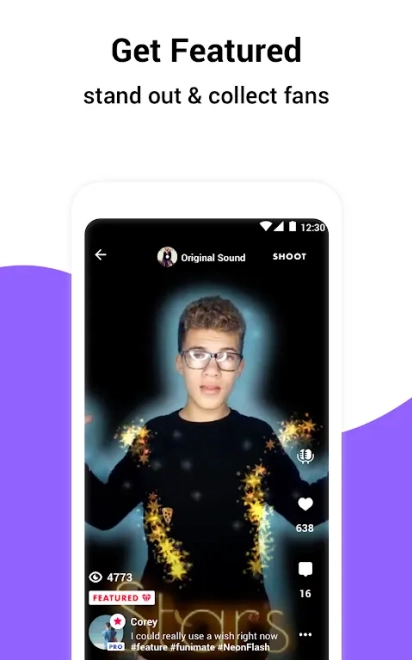
- Includes a social-oriented approach to sharing and presenting finished clips, matching the app’s focus on short-form content.
Advantages of the Video Editor
- The toolset is approachable for quick projects: basic cutting can be combined with ready-made effects instead of a long manual setup.
- Its effects-driven workflow helps turn simple recordings into more noticeable clips without advanced editing knowledge.
- Music, transitions and animated decorations are gathered in one mobile workspace, which suits short edits prepared for social networks.
- Text and stickers make it possible to adapt the same footage for announcements, fan content or humorous posts.
- Android support makes the application convenient for editing immediately after recording, while the idea for a clip is still fresh.
Disadvantages
- The abundance of effects can make the interface feel busy, especially when a project requires only precise cutting and clean corrections.
- Creative presets are more useful for short-form videos than for detailed work with long footage or a carefully structured film.
- The free version may include restrictions connected with premium effects, subscription features or export conditions.
- Resource-intensive effects can place a noticeable load on an Android device and may require additional storage for source files and finished videos.
- The social-media focus is not ideal for users looking for advanced color correction, professional audio work or a full desktop-style timeline.
Judging by its feature set, Funimate Video Editor & Maker is intended for creators who want to give phone footage a vivid visual treatment without opening a desktop editor. It fits short clips where music, animated effects and quick sharing matter more than a complex production pipeline, and Funimate Video Editor & Maker is distributed free of charge.
What's new in the latest version 5.0.20
Updated
- Improved overall app performance and stability.
- Enhanced the video editing experience with smoother playback and more responsive controls.
- Resolved minor issues affecting effects, transitions, and project exporting.
- Improved compatibility with the latest Android devices and system updates.
- Added general optimizations and bug fixes for a more reliable editing experience.

Add comment