

Audio Editor - Music Mixer is a mobile audio editor for Android designed for trimming music, mixing compositions, and creating custom ringtones. The app works with local audio files, allows you to modify track segments, apply effects, and save the result as a melody for calls, alarms, or notifications. Its interface is focused on quick operations without complicated preparation: you can find the desired recording among the files on your device or SD card, and set the segment boundaries on the timeline.
In terms of its toolset, Audio Editor - Music Mixer can be viewed as a mobile alternative to Audacity for simple tasks. Unlike the desktop Audacity, the app does not claim to provide full-fledged studio editing with advanced work on a multitrack project, but it combines trimming, merging tracks, sound recording, and ringtone creation in one Android app. For quickly editing music without a computer, this approach is more practical, although it does not replace the professional capabilities of Audacity.
Audio Editor - Music Mixer Features
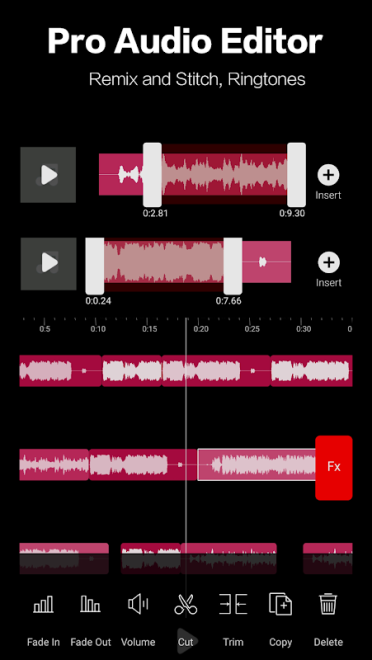
- Audio trimming using a timeline with waveform zooming. The beginning and end of a segment can be determined visually or entered manually.
- Mixing several compositions into one file. Tracks are added to the workspace, after which their order can be changed before merging.
- Combining separate audio segments with the ability to adjust the position of each clip. Fade-in and fade-out effects are provided for smoother transitions.
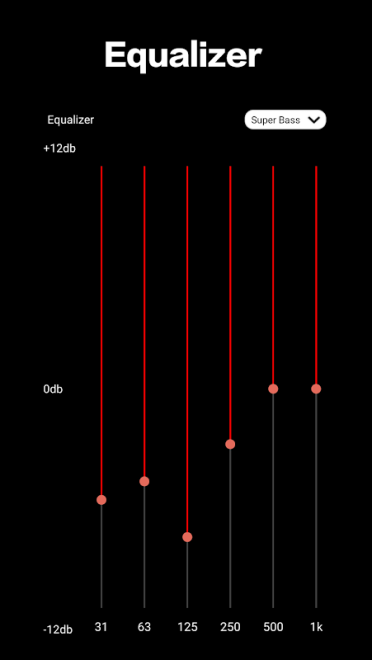
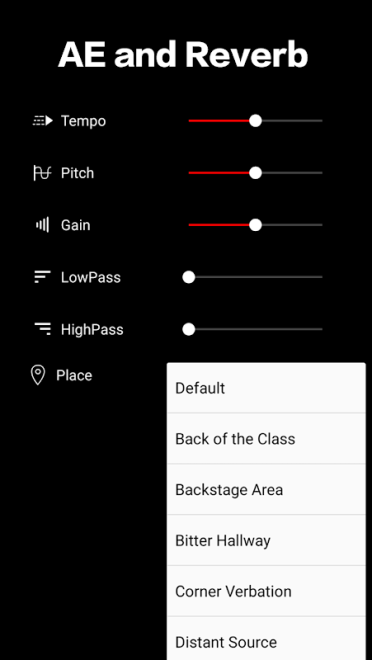
- Adjusting the sound using a global equalizer, bass boost, volume increase, and surround sound effect.
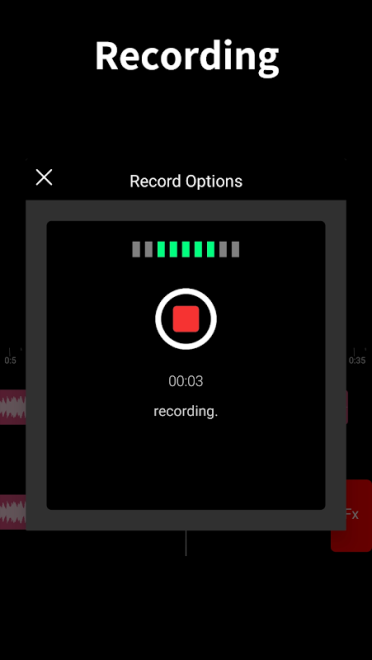
- Recording voice or music with a choice of source, channel, sampling rate, and save format. The finished recording can be added to an already prepared composition.
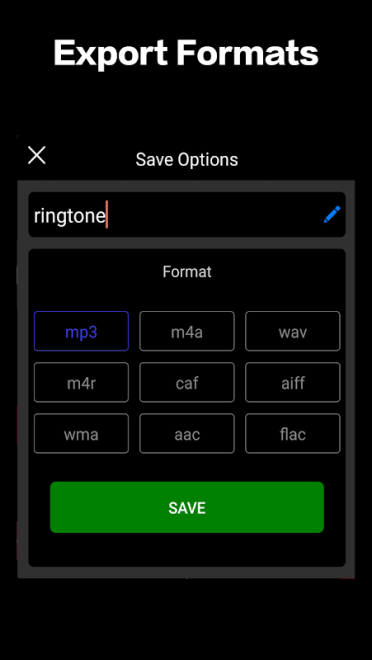
- Support for common formats, including MP3, M4A, WAV, M4R, CAF, AIF, WMA, AAC, and FLAC.
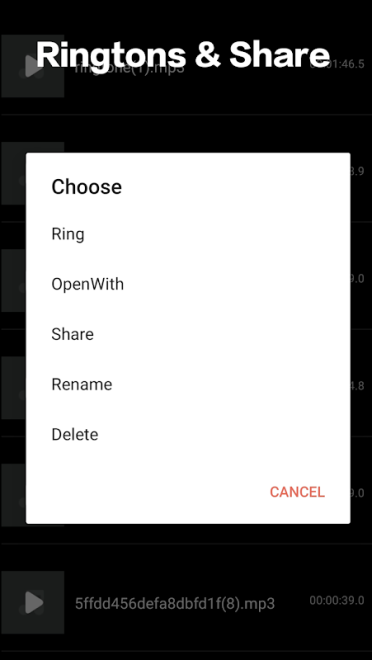
- Creating ringtones, alarm sounds, and notification melodies from any part of a track.
- Automatically detecting audio files in the device memory and on the SD card. The built-in browser helps you find the desired compositions without switching to another file manager.
- Saving processed material to a separate folder with the ability to edit finished clips again.
- Sharing the created file using the sharing tools available on Android.
Audio Editor - Music Mixer is convenient for everyday tasks: cutting a chorus from a song, putting together a short medley, preparing a custom notification sound, or recording voice over a music segment. Another advantage is the ability to start a new task without waiting for the previous conversion or trimming operation to finish.
Advantages of the Audio Editor
- Combining several tools in one app: from voice recording to equalizer adjustment and ringtone creation.
- Support for a large number of formats, so there is no need to convert every file to MP3 in advance.
- Convenient waveform editing with separate manual entry of time boundaries for more precise segment selection.
- The ability to directly assign a finished melody as a ringtone, alarm sound, or notification sound.
- Working with files not only in internal storage but also on an SD card.
- Suitability for quick operations on a smartphone when using a desktop editor would be excessive.
Disadvantages
- The app is designed primarily for simple editing, so its tools may be insufficient for complex music production and detailed mixing.
- Working with large files requires sufficient free space because separate copies of the results are created after processing.
- The app is designed for Android and does not support transferring projects in the format of a full-fledged desktop audio session.
- The presence of an equalizer and amplifiers does not replace the precise channel-by-channel adjustment required for professional mixing.
Audio Editor - Music Mixer is designed for those who want a compact set of tools for working with sound without a computer: trim a song, combine several segments, record voice, or prepare a custom ringtone. It is a practical option for everyday music editing on Android, and Audio Editor - Music Mixer is available for free.
What's new in the latest version 3.12.13
Updated
- Fixed errors found in the previous version.











Add comment