Opera v.115.0.5

Fast, simple and secure web browser

Icon Opera
Windows 7+
Version: 115.0.5
Download for Windows

We are pleased to present you the latest version of Opera, which is available for free, and that you can download it for free.
Opera — a web browser, which is very popular in the world. You can download Opera, as this program requires no keys, no license, no complicated setup steps.

Among the main advantages of Opera, we can note the high download speed of information, maintained in Opera even with a bad connection.
We should also note that Opera is ergonomic and compact; consuming minimal resources, Opera can operate on sufficiently slow computers.
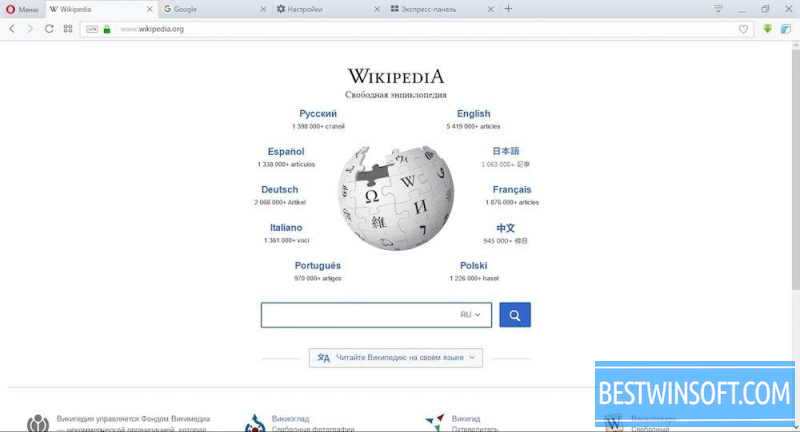
Opera has a nice standard interface, which, if desired, can be changed by using different skins.
Simple and convenient Opera menu, makes use of the program available for beginners and experienced users. JavaScript widgets and additional modules, can simplify and speed up your actions.

Opera Link simplifies the management of personal information, by synchronizing data with a remote server. Thanks to Opera Link, you can use your personal bookmarks, saved passwords and other private settings.
With a bad speed of connection Opera Turbo becomes indispensable, increasing download speed, due to the small image compression, the quality of which is slightly deteriorated. This function is located in the lower left corner of the browser, easy on and off, not requiring any additional configuration or tedious walk through menus.

Opera is a built-in torrent client, which allows to download files from torrents.
IRC-chat client built into Opera, would allow communication with other users.
Opera is provided with a simple and convenient download manager that helps to download files without additional settings, to any convenient place on the hard drive, avoiding the confusion often arising when searching for uploaded files.

You can download Opera for free from our website right now.
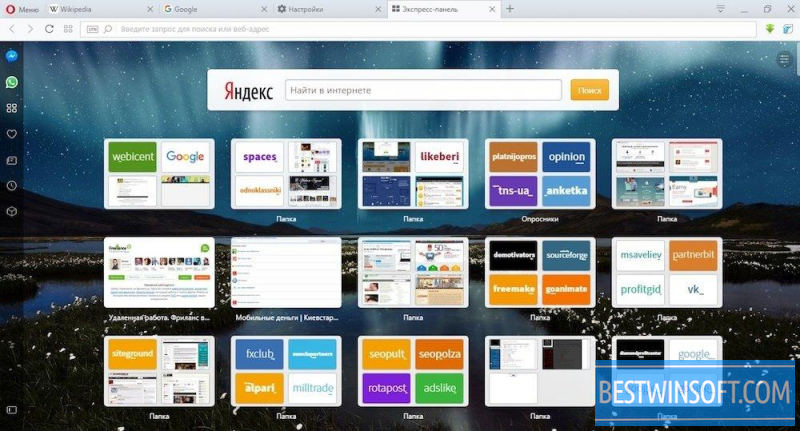
4 screenshots Opera

Additional Information
Developer
License
Freeware
Age restrictions
0+
Category
Updated
Friday, 11 April 2025
Current version
115.0.5
Compatibility
Windows 7, 8, 10, 11
Architecture
x64

Opera for Windows

Try some more of these browsers for Windows PC
Vivaldi Download

Multifunctional and fast browser

v.1.13
Elements Browser Download

Reliable and fast browser

v.74.27.3729.169
Flock Download

Very fast browser on the engine Chromium

v.1.2.6
Slimjet Download

Easy fast browser on Chromium engine

v.32.0.4.0
UC Browser Download

Fast, popular, cross-platform browser

v.7.0.69.1022
Orbitum Download

Fast, popular, reliable browser and social networking integration

v.56.0.2924.87
SlimBoat Download

Lightweight, stylish, fast, cross-platform browser

v.1.1.54
Tor Browser Download

Free browser for private surfing on the Internet

v.11.0.4
SlimBrowser Download

Powerful, universal, free browser for windows

v.14.0.0.0
Midori Download

Lightweight browser using WebKit engine

v.0.5.11
SRWare Iron Download

Cross-platform, fast, secure browser

v.94.0.4800.0
Torch Browser Download

Popular browser for private surfing the net

v.69.2.0.1707

Top Rated Apps

Maxthon Download

Secure cross-platform internet browser

v.6.1.3.1001
SRWare Iron Download

Cross-platform, fast, secure browser

v.94.0.4800.0
Midori Download

Lightweight browser using WebKit engine

v.0.5.11
Flock Download

Very fast browser on the engine Chromium

v.1.2.6
Torch Browser Download

Popular browser for private surfing the net

v.69.2.0.1707
SeaMonkey Download

Mozilla's super fast cross-platform browser

v.2.53.9
Reviews and Comments

Aaron
2
Aaron
11 years ago
OPERA is very easy to use program. I often use it while I am working in the Internet, even though I still have FireFox and Internet Explorer.
Like Like Reply | Reply with quote | Quote
Michal
1
Michal
11 years ago
A good browser, using it as the main, I think that it's even better than Google Chrome, although as anyone of course.
Like Like Reply | Reply with quote | Quote
nickolaj
1
nickolaj
11 years ago
I have a program “Opera 24.0”. It is a good program, but it has one drawback: in the menu, there is no mode "search." To turn it on I use the keys CTRL + F.
Like Like Reply | Reply with quote | Quote
Thelma
0
Thelma
11 years ago
I've started having problems working with Opera,though I was completely satisfied with it not long ago.Now I've read this article and start thinking about giving it a try again.
Like Like Reply | Reply with quote | Quote
Kathren
1
Kathren
11 years ago
I use this Browser for 5 years. It has all need options for me. I often forget passwords and this browser can sawe them. I have downloaded it into my phone.
Like Like Reply | Reply with quote | Quote
Arthur
1
Arthur
11 years ago
The most convenient, simple and fast browser. Has a nice interface, there is the option to save your passwords, bookmarks and other personal dannychoo has a built-in torrent client allows to download files from torrents without requiring additional configuration.
Like Like Reply | Reply with quote | Quote

Add comment

Submit